Usage
Basic usage
Follow the stepper navigation to complete a job request in four easy steps:

Create a submission list by using steps Build your Job and/or Upload csv
Confirm the submission list in the step Submission list
Start protoSpaceJAM in step Jam it
View and download results in the last step Results
Create a submission list
There are two ways to create a submission list:
- Build your Job
- Select a genome, enter ENST IDs and terminus, adjust on-screen parameters and then click Add to the submission list
- Upload csv
- Click Download example csv to obtain a template csv file.Customize the csv file and then click Upload csv to upload.This method is efficient in uploading a larger submission list.
- Notes
- Both methods can add to the same submission list repeatedlyEach method can be used repeatedlyIn Build your Job, you can click Add to the submission list with a slightly changed configuration
Load an example submission list
There are two options to load an example submission list:
Option 1: in step Build your Job, click Load example, and then click Add to the submission list.
Option 2: in step upload csv, click Download example csv, and upload by clicking Upload csv.
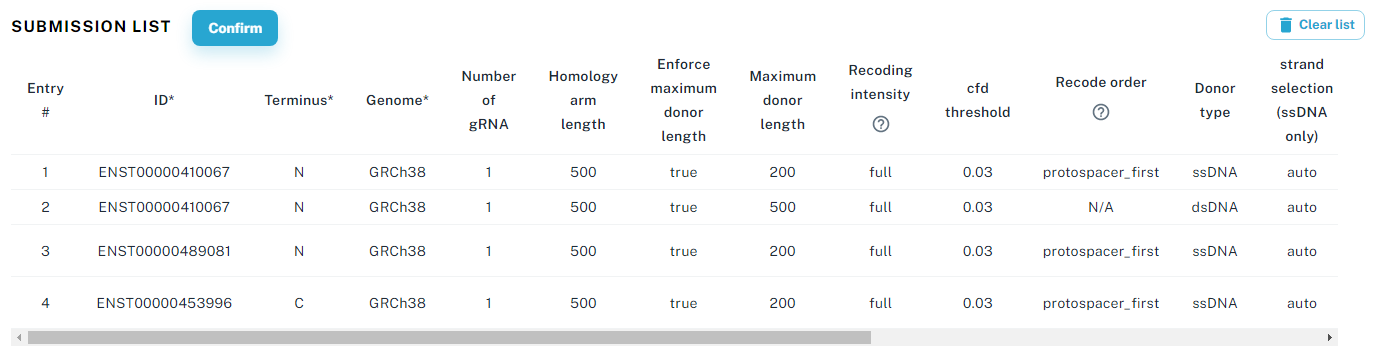
Confirm submission list
An example of a submission list is shown below, click Confirm to enable launching protoSpaceJAM
Launch protoSpaceJAM
Click Jam it to start processing the submission list

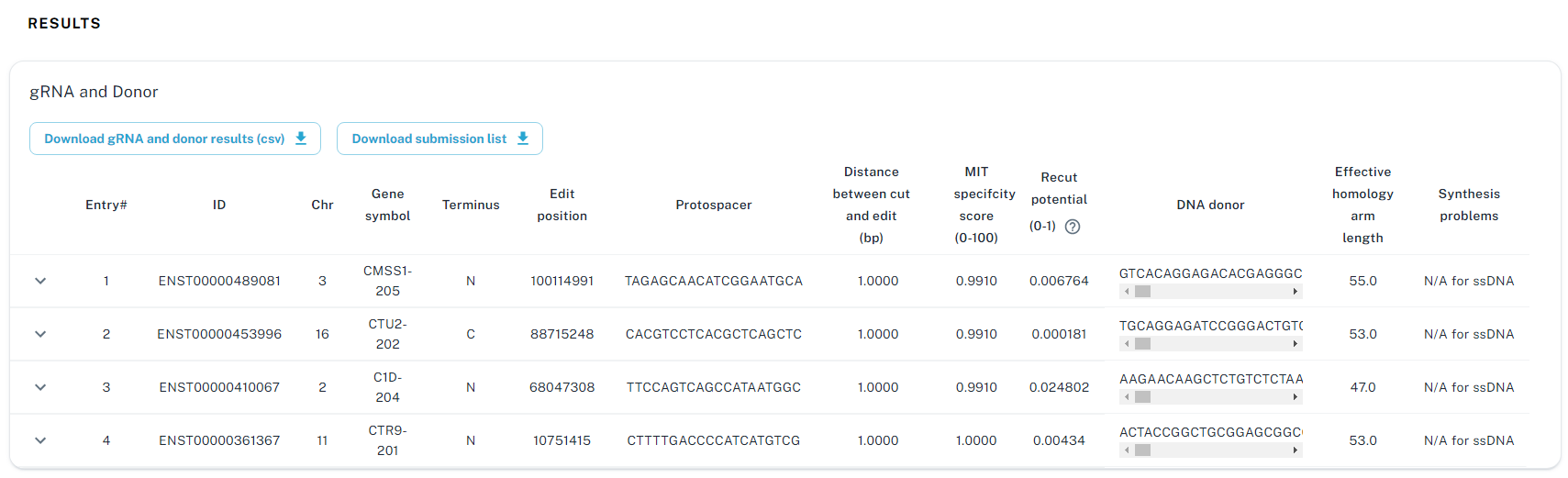
View/Download results